If you require special assistance for your journey, you can easily update your preferences through the Zeelo platform by adding a tag. This ensures your driver is notified ahead of your trip and can provide the appropriate support.
Updating via Desktop (Computer)
- Log in to your Zeelo account using your web browser.
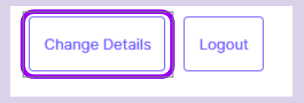
- Navigate to your profile and click “Change Details.”
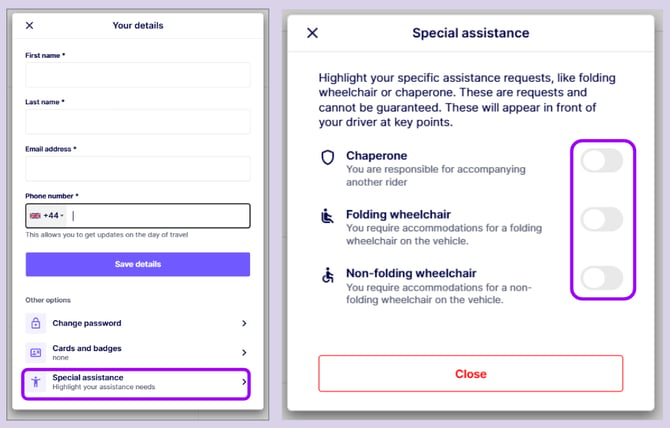
- Scroll down to find the “Special Assistance” option.
- Toggle on the assistance requirements you need.
- Save your changes.
Once saved, your preferences will be stored on your account and shared with your driver.
See images below for guidance:
Updating via the Zeelo App
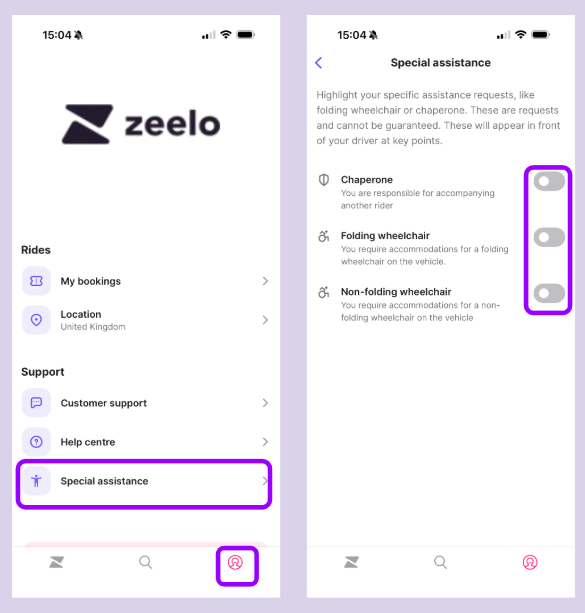
- Open the Zeelo app and log in.
- Tap the Profile icon (bottom right corner).
- Select “Special Assistance” from the menu.
- Toggle on the assistance options you require.
- Your changes will save automatically.