
What are Stop Requests and where can I find them?
A Stop Request is a way for you to suggest a new pick-up or drop-off location for your service.
If your programme allows it, you can submit a stop request directly through your Zeelo booking page.
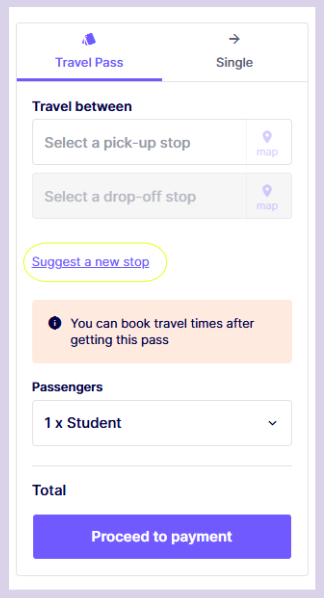
If the functionality to request stops has been activated by your organisation or school, you will see a button which says "Request new pick-up". Please tap this button and fill out the form. See image below for guidance.
How do I submit a Stop Request?
You can submit a request when you are directly on the booking page via the web:
- Go to your Zeelo booking page via your browser instead of the app (your link to the booking page you require will be in your Welcome email correspondence you have received )
- Look for the option to "request a new stop"
- Enter the location details and submit
Once submitted, your request is sent to our team for review.
When will I get an update on my stop request?
Stop requests for all services can take some time to review, as we must consider the impact of the additional stop. You will be updated via email on the outcome within 30 days and be kept informed throughout via email.
Our team will update you on the final outcome of your request via email. Please note that approval is not guaranteed as we need to consider many different factors.